3D Room Design can be hard to plan when all you have are your imagination and tape measures. I now know that thinking about ideas in three dimensions makes them easier to understand. I can see how furniture, colors, and light will look before I touch a wall with digital design tools.
3D room design is the secret to redesigning your home without all the confusion and chaos. It’s fast, easy to see, and surprisingly enjoyable.
What You’ll Learn Here
How I quickly and accurately design rooms with digital tools
Easy steps to make a layout that works
How to put furniture, lighting, and decorations in the right order
How to choose colors and materials with confidence
Things I’ve learned not to do often
Other users’ real feedback and ratings
Answers to the most common questions about design
Why I Use Tools to Design 3D Rooms
Before I start painting, I like to have a plan for my ideas. I can plan every corner of my space in a visual way with 3D design. I can move furniture around, try out different color schemes, and even see how light fills the room during the day. My back agrees that moving a virtual sofa is much easier than moving a real one.
This method not only saves time, but it also saves money. I can tell when a layout is going to be bad, so I never buy furniture that doesn’t fit.
Setting Up My Room on the Computer
I begin by opening a room planner on the internet. I type in the exact measurements of my room, including the lengths of the walls, the positions of the windows, and the swings of the doors. After that, the tool automatically draws my room.
Now comes the fun part: designing. I can choose from furniture styles, colors, and materials that I like. I can see my space taking shape in just a few minutes.
My room starts to look like the way I’ve been picturing it for months with just a few simple drag-and-drop moves.
Choosing the Right Design Tool
There are a lot of tools out there, but Planner 5D is my favorite. It’s simple to use, even for people who are new to it.
This is why I like it:
I can make layouts in both 2D and 3D.
You don’t need any design experience.
The library of furniture is very big and real.
I can quickly switch between top view and full 3D.
You don’t have to pay anything to start.
I don’t need to know how to use CAD or complicated commands; I just click, drag, and edit. One tap deletes something I don’t like. That’s all there is to it.
My Design Process in Steps
Take measurements first. Being accurate now will save you trouble later.
Put some structure in place. First, doors, windows, and walls.
Put big things. Next are tables, beds, and sofas.
Improve the layout. I changed the flow paths and clearances.
Put on the lights. I test both real and fake light.
Try out different colors and textures. This is where I get creative.
Look at it in 3D. I walk through the design in my head and make changes as needed.
I am in charge at every step. It used to take days, but now it only takes hours, and it’s actually fun.
Finding a balance between function and style
A nice layout is more than just nice furniture. I always check to see if it’s comfortable and works.
There should be at least 30 inches of space between furniture.
There shouldn’t be any glare in any of the lights.
Colors should make you feel calm, not crazy.
I’ve made mistakes, like putting a lamp right where the door swings open, but that’s the best thing about planning digitally. I can fix it right away.
Playing with Colors and Textures
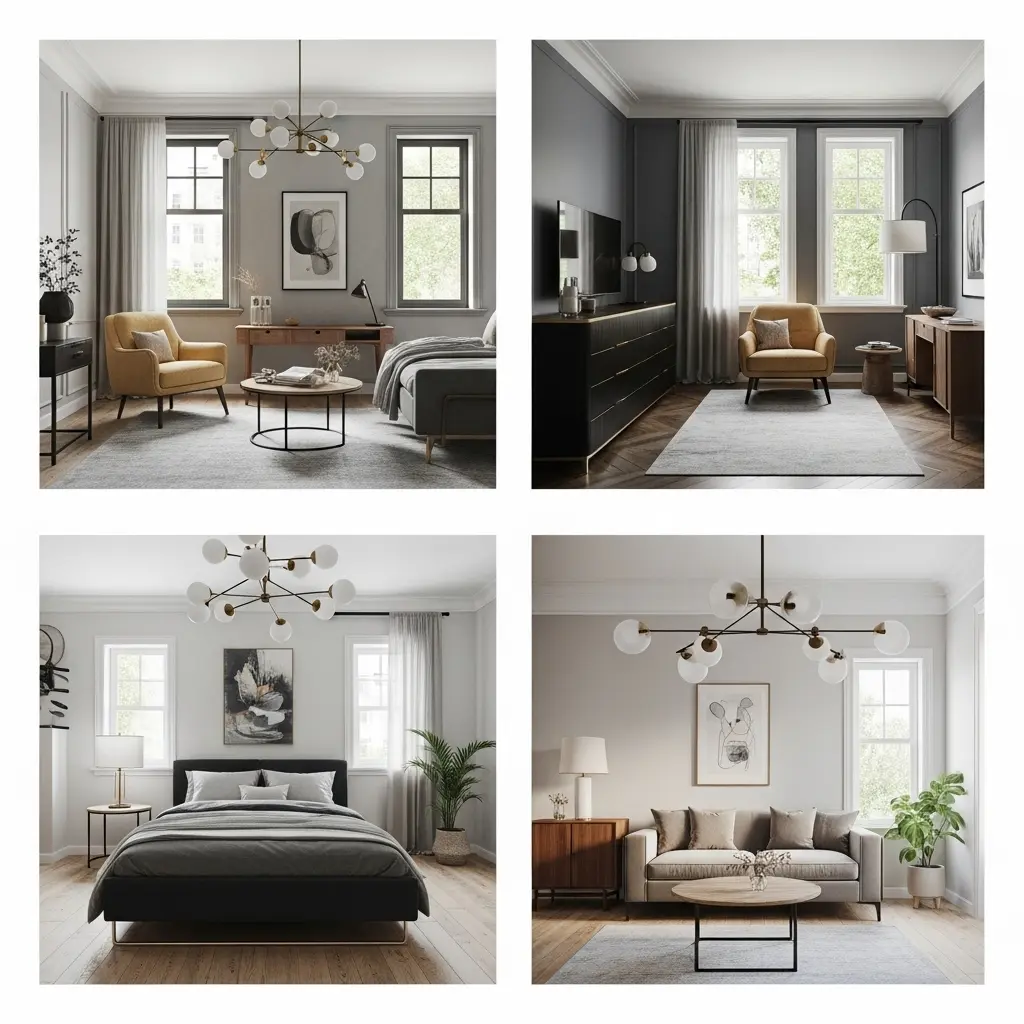 I usually paint the walls a neutral color and then add contrast with rugs, cushions, or curtains. Warm colors make the room feel welcoming, while cool colors give it a modern look.
Testing combinations right in the planner is my favorite trick. What looks good in my head doesn’t always work out in real life, but 3D previews help me avoid costly painting mistakes.
Lighting: The Key to Success
Everything changes with light. I have three layers:
Ambient: A general ceiling light that makes everything brighter.
Task: Put focused lights near desks or chairs for reading.
Accent: Lighting that draws attention to plants or art.
I try out scenes in the morning, afternoon, and night to make sure they all feel right.
Comfort is important too.
A room should look good and feel even better. I look at the heights of the seats, the space to walk around, and how each area connects visually.
And speaking of comfort, the right pillow can make a big difference if you want to sleep well. If you don’t want to wake up with a stiff neck, you should check out my side sleeper pillow guide. It has some great choices.
Rating from Customers
A lot of people who use tools like Planner 5D feel the same way I do: it’s surprisingly simple to use.
Ease of use: ★★★★★
Four stars for accuracy
Design features: ★★★★★
Overall, I was very happy: ★★★★★
I think those ratings are fair. The tool makes it easy for everyone to design their home, even if the last thing you did was move your bookshelf around.
Things I learned not to do that are common
Not paying attention to size: big furniture won’t fit in a small room.
Not doing lighting tests: shadows are important.
Not remembering outlets: cords can mess up a clean setup.
Too many colors: three tones are usually enough.
Each little thing makes the design better and helps you avoid regrets later.
Questions and Answers
Q: Do I need to know how to design to start?
No. I started as a total novice. These tools are for anyone who wants to make ideas easier to see.
Q: Is it free to plan in 3D?
A lot of online planners have free versions. For example, Planner 5D lets you use all of its basic features for free.
Q: How precise are the measurements?
If you enter the right numbers, it works very well. Before I add furniture, I always check the size of the room again.
Q: Is it possible to use it in more than one room?
Yes. I’ve used the same platform to design bedrooms, offices, and even small kitchens.
Q: Can I show you my design?
Of course. Before I make a decision, I often send friends links or screenshots to get their thoughts.
Why I Think 3D Room Design is a Good Idea
3D planning has changed the way I think about home projects. It keeps me from having to guess and lets me enjoy the creative side of design.
Seeing my ideas come to life on screen makes me feel good, and it helps me avoid making expensive mistakes. This method is worth a try if you’ve ever wanted to decorate or remodel without stress.
You don’t need a fancy degree. Just a few clicks and some curiosity, and creativity.
Last Thoughts
I design rooms in 3D because it makes things easier. It helps me plan better, save money, and enjoy the process instead of being scared of it.
3D room design gives you a clear picture of what your room will look like before you start remodeling or moving things around.
And to be honest, it’s a lot of fun, especially when I realize I can change the layout of my whole living room without getting up from my chair.